The Tasks Screen is used to defined the Tasks that the company's employees perform when visiting clients.
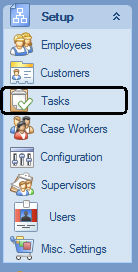
To open the Tasks Screen click on the Tasks button on Explorer Bar's Setup Section:
The Tasks Screen:

It is usually convenient to arrange Tasks into Parent tasks and sub-tasks. To define such a "hierarchy" of Tasks, select the Parent Tasks of a Task to arrange the two into a hierarchy:

You can also define level of training necessary to complete a Task. Only Employees that completed the specified training will be allowed to be assigned the task:

The Certification and Training tasks are defined in the Miscellaneous Settings Screen.